


Zello PTT Walkie Talkie
4.242.13K Reviews
App Specs
- Version
- 7.14.2
- Updated On
- License
- Free
- Downloads
- 100,000,000+
- Developer
- Zello Inc
- Categories
- Communication
- Platform
- Android, iOS
Screenshots
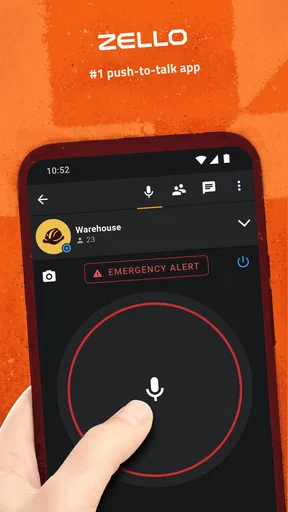
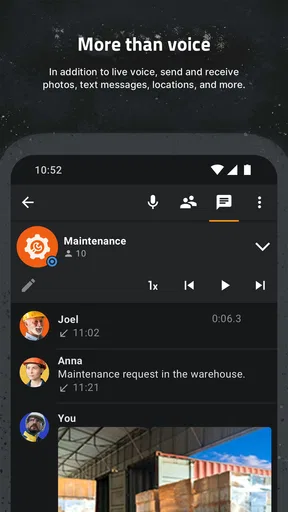
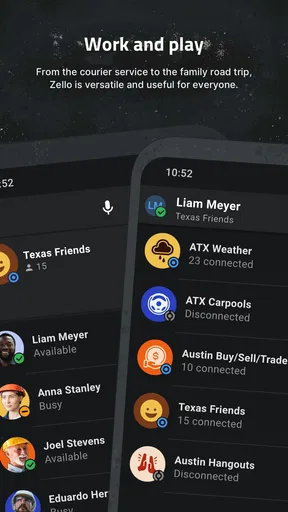
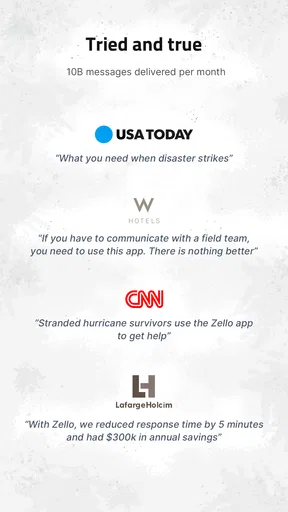
 Analysis by AppCompare
I find the most useful way to think about Zello is not as a replacement for every kind of messaging, but as a voice-first tool for moments when typing or placing a call would get in the way. Its push-to-talk style can make a quick instruction feel immediate: press, speak, release, and let the other person respond when they can. That rhythm is handy, but it depends on a working network connection, so it is worth treating connectivity as part of the experience rather than an afterthought.
When a quick message depends on the network
In my experience, the app feels most natural when the people in a group are already connected and have a clear reason to talk. Coordinating a busy household, checking in with friends during an outing, or passing short updates between coworkers can be easier than starting a call for every small detail. The trade-off is that voice messages are only as useful as the connection carrying them. If reception becomes weak, expect the conversation to feel less smooth; I would not rely on it as the sole way to communicate something urgent.
That distinction matters when comparing it with ordinary texting. A text can sit on screen and be read later, while a spoken message is quicker to deliver but can be harder to use when someone is in a noisy place, unable to listen, or away from a reliable connection. For plans and instructions that need to be checked precisely, I would still send the key detail in writing through a suitable messaging app. Zello works best as the fast voice lane alongside those other tools, not as a reason to abandon them.
Choosing the right setting and group
Public channels can be interesting for discovering conversations, but I would be selective about where I spend time. A channel is more useful when its purpose is clear and the conversation stays focused; a busy or loosely moderated space can turn quick voice traffic into noise. For a family, a small team, or a group of friends, a private space is usually the more practical starting point because everyone knows who is meant to be there and why the channel exists.
A small habit makes group communication easier: agree on what belongs in the channel before relying on it. Short status updates and coordination tend to suit push-to-talk better than long stories or sensitive details. If a message contains an address, time, or other information people may need to revisit, I would pair the voice exchange with a written note rather than assume everyone will remember it correctly. That keeps the convenience without asking the app to do a job better handled by text.
Who will get the most from it
I can see this being especially useful for people whose hands or attention are occupied for short stretches, as long as using a phone is safe and appropriate in that situation. Think of a group preparing an event, friends trying to find one another at a large venue, or coworkers sharing brief updates while moving between tasks. It can also suit someone who finds a quick spoken exchange more comfortable than composing several messages. The best fit is a group that actually wants voice check-ins and can stay connected.
I would be less likely to recommend it to someone who mainly communicates one-to-one, needs searchable written records, or often has to keep a phone silent. A regular call may be clearer when both people need a sustained conversation, while text is better for quiet environments and details that must remain visible. The app’s walkie-talkie approach is a useful alternative, but it is not automatically the simplest option for every conversation.
Worth Reading Before You Choose

Flipboard Shows What News Apps Must Do Beyond the Feed

Switching to Android Auto Means Rethinking Your Driving Routine

Google Calendar Makes a Crowded Week Easier to Manage

Ludo King Makes the Most of the Minutes Between Plans

Baby Panda World Brings Quick Play to Modern Phones, but Its Game Library Feels Busy

ESPN’s Live Game View Makes Following Close Games Easier
Practical habits for smoother use
Before inviting a group, I would make sure everyone knows which channel to use and when to speak. This small bit of setup prevents the common problem of people joining the app but not knowing where a message belongs. It also helps to keep transmissions brief: say who you are addressing, give one clear point, and leave room for a reply. That makes a shared channel easier to follow, especially when several people are active.
When connectivity is inconsistent, I would avoid sending a long explanation in one go. Break the information into short, distinct messages, and confirm important instructions through a second method if a misunderstanding would matter. Voice history can help with catching up, but I would not treat it as a substitute for a durable written record. If you are concerned about mobile data, the store description presents Zello as light on data use; still, actual use depends on how much you talk and how you use your connection, so checking your device’s data settings is a sensible way to keep an eye on it.
What to expect before installing
The app is free to download and is rated for Everyone. Zello Inc develops it, and the current version is 7.2.0, with Android 7.0 as the minimum operating system. It has a 4.2 average from around 778,000 ratings, and has been installed over 100 million times. Those figures suggest it is widely used, but they do not tell me whether the people you want to talk with are already there; the app is most useful when your group is willing to join and use it consistently.
There are in-app purchases ranging from $7.99 to $749.99 per item, so I would check the purchase details in the app before spending anything. You can start with the free app and decide whether its basic voice workflow fits your needs. If your group only wants an occasional way to talk, it makes sense to try the everyday routine first rather than assume any paid option is necessary.
Hey there! Have you ever wanted to turn your smartphone into a walkie-talkie? Well, you’re in luck because I just tried out the Zello PTT Walkie Talkie app, and it’s as cool as it sounds. It’s like having your very own communication device that makes you feel like a kid again.
What’s All the Buzz About?
The Zello PTT Walkie Talkie app is a nifty little tool that lets you connect with friends, family, or coworkers in real-time using your phone. It transforms your device into a push-to-talk system, just like the walkie-talkies we all loved as kids. With instant voice communication, you can chat away without the hassle of dialing or waiting.
One thing I noticed right away is how user-friendly the app is. The interface is clean and straightforward, making it easy to navigate. You just push a button, and voila—you’re talking! This simplicity makes it accessible for everyone, from tech-savvy millennials to less tech-inclined folks.
Features That Stand Out
Let’s dive into some of the standout features that make this app worth checking out:
- Real-Time Communication: The app offers instant voice transmission, which means no delays. It feels like you’re in the same room with the person you’re talking to.
- Public and Private Channels: You can join public channels to meet new people or set up private ones for more secure conversations with your group.
- Cross-Platform Compatibility: Whether your friends are on Android or iOS, you can connect seamlessly.
- Voice History: Missed a conversation? No worries! You can check the voice history to catch up on what you missed.
- Low Data Usage: This app doesn’t gobble up your data, which is a huge plus if you’re on a limited plan.
Getting Started with Zello
Setting up Zello is a breeze. After downloading the app, you’ll need to create an account, which takes just a few minutes. Once you’re in, you can start searching for channels or friends to connect with. One feature I really appreciated is the ability to customize your profile. You can add a photo and a status to let people know what you’re up to.
As I started exploring, I found the public channels to be a fascinating way to meet people with similar interests. Whether you’re into hiking, gaming, or just want to chat about the latest movies, there’s something for everyone. And if you’re more of a private person, creating a private channel for your group is super easy.
Why You’ll Love It
If you’re someone who values quick and easy communication, this app is a game-changer. It’s perfect for coordinating group activities, keeping in touch with friends, or even for workplace communication. The app’s ability to mimic the traditional walkie-talkie experience is both nostalgic and practical.
Another aspect I found appealing is its reliability. Unlike some apps that crash or lag, Zello consistently delivers a smooth experience. I’ve used it in both urban and rural settings, and it maintained solid performance throughout.
Room for Improvement
While the app is fantastic, it’s not without its quirks. One thing I noticed is that in areas with poor internet connectivity, the voice quality can occasionally dip. However, this is a minor issue that doesn’t overshadow the overall experience. Plus, with regular updates, I’m hopeful the developers will continue to enhance its performance.
Another feature that could be improved is the discovery of public channels. A more intuitive search or recommendation system would make it easier to find channels that match your interests.
The Verdict
All in all, the Zello PTT Walkie Talkie app is a delightful tool that brings a touch of nostalgia while offering practical, modern functionality. Whether you’re looking to relive your childhood with a walkie-talkie or need a reliable way to communicate with your crew, Zello has got you covered.
So, why not give it a shot? Download it, try it out, and turn your phone into a walkie-talkie wonderland. Who knew staying connected could be this much fun?
Pros
- Real-time voice communication
- Easy to use interface
- Low data usage
- Cross-platform availability
- Private and public channels
Cons
- Requires internet connection
- Limited features without subscription
- Potential privacy concerns
- User interface can be cluttered
- Notification issues reported
FAQs for Zello PTT Walkie Talkie
What is Zello PTT Walkie Talkie used for?
Zello PTT Walkie Talkie is a communication app that transforms your smartphone into a walkie-talkie. It allows users to have instant voice conversations over any WiFi or mobile data connection. This app is particularly popular for group communication, making it ideal for teams, families, or friends who need quick and reliable contact.
Is Zello PTT Walkie Talkie free to use?
Yes, Zello PTT Walkie Talkie is free to download and use for personal communication. However, there are premium features and packages available for businesses that require advanced capabilities, such as encryption, user management, and dedicated support. These options are part of Zello Work, the business-oriented version of the app.
How does Zello PTT Walkie Talkie work without cellular service?
Zello can operate over any internet connection, including WiFi, meaning it does not require cellular service to function. This makes it a versatile communication tool in areas with limited mobile coverage, as long as there is access to a WiFi network. It’s perfect for remote locations or areas with unreliable cellular signals.
Can I use Zello PTT Walkie Talkie for emergency communication?
While Zello PTT Walkie Talkie is used by many for emergency situations due to its quick communication capabilities, it is not a replacement for official emergency services. It can be a valuable tool for organizing community responses or staying in touch during disasters, but always ensure you have a direct line to emergency services if necessary.
What are the privacy and security features of Zello PTT Walkie Talkie?
Zello prioritizes user privacy and security by offering encrypted communication to protect user data. Additionally, users can create private channels that require invitations or passwords, ensuring that conversations remain secure and only accessible to authorized participants. For businesses, Zello Work provides advanced security features and administrative controls.


